















 Sale! -16%

Sale!-74%
Annual Notion subscription
Annual Notion subscription — professional software or digital subscription from Maka A Store. Activation, license type and delivery details are shown on this page.
Duration12 months
License typeBusiness
ActivationTo your personal account/email
WarrantyWarranty throughout subscription
⚡ Fast activation🛡️ Warranty💬 Support🔒 Secure payment
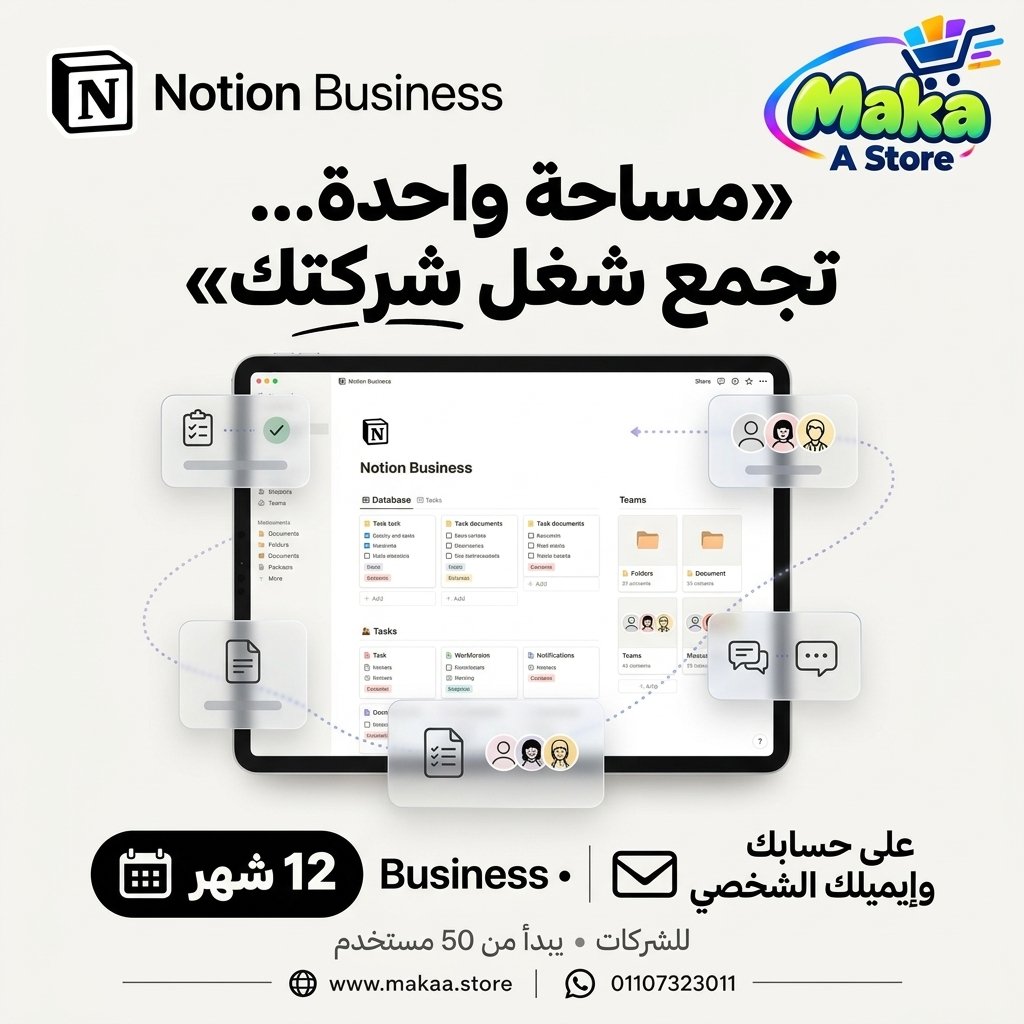
Notion Business 1-Year Subscription - Activation via an Officially Approved Promo Code
If you manage projects, teams, documentation, databases, or business workflows, Notion Business provides an advanced workspace for productivity, project management, collaboration, knowledge management, and AI-powered workflows.
Get Notion Business for 12 months activated directly on your personal Notion account and email address through an officially approved promotional code from the official website, with no password sharing required.
Notion Business - 1-Year Subscription
Price: EGP 3,300 / Year
Subscription Details
- Product: Notion Business.
- Duration: 12 Months.
- Plan: Business.
- Account: Your Personal Notion Account.
- Activation: Officially Approved Promo Code from the Official Website.
- No password sharing required.
- The subscription is activated directly on your Notion account after the promo code is applied.
- Suitable for individuals, professionals, and teams.
- Access to features available within the Notion Business plan.
What Is Notion Business?
Notion Business is an advanced Notion plan designed for users and teams that need project management, documentation, databases, permissions, collaboration, and AI-powered productivity tools within one workspace.
Everything in Plus and More
The Business plan includes features available in lower Notion tiers together with additional capabilities designed for professional teams and organizations.
Notion Agent
Notion Agent provides AI-powered assistance for working with information and content inside your Notion workspace.
It can help with:
- Content creation.
- Information summarization.
- Idea organization.
- Analysis assistance.
- Workspace content workflows.
- Repetitive task support.
AI Meeting Notes
AI Meeting Notes can help organize and summarize meeting information within Notion.
Useful for:
- Team Meetings.
- Project Meetings.
- Planning Sessions.
- Client Meetings.
- Action Item Tracking.
Enterprise Search
Advanced search capabilities can help users locate pages, information, and project content across large workspaces more efficiently.
SAML SSO
The Business plan includes capabilities associated with SAML SSO for supported team and organization login workflows.
Granular Database Permissions
Granular Database Permissions provide more detailed control over access to workspace databases.
This can help teams:
- Control data visibility.
- Manage editing permissions.
- Organize team access.
- Protect internal information.
- Assign access according to responsibilities.
Verify Any Page
Verify Any Page can be used to identify important workspace content that has been reviewed or approved according to a team's workflow.
Private Teamspaces
Private Teamspaces can be used to create dedicated workspaces for specific teams or departments.
Suitable for:
- Management.
- HR.
- Marketing.
- Development Teams.
- Finance.
- Project Teams.
Domain Verification
The Business plan includes capabilities associated with Domain Verification for supported company workspace administration workflows.
Premium Connections
Notion supports integrations and connected workflows with external services to help teams bring project information together.
Integrations can include services such as:
- GitHub.
- Asana.
- Slack.
- Other supported platforms.
Project Management
Notion Business can be used to manage projects, tasks, documentation, and team progress through flexible databases and views.
Suitable for:
- Project Planning.
- Task Management.
- Project Roadmaps.
- Team Assignments.
- Progress Tracking.
- Project Documentation.
Task Management
Users can create task databases containing owners, deadlines, priorities, and project status information.
Flexible Databases
Notion databases can be used to organize many different types of business information.
Examples include:
- Customer Management.
- Project Management.
- Content Calendars.
- CRM Workflows.
- Product Roadmaps.
- Employee Information.
- Knowledge Bases.
Multiple Views
The same information can be displayed in different views depending on the team's workflow.
Available view types can include:
- Table.
- Board.
- Calendar.
- Timeline.
- List.
- Gallery.
Knowledge Management
Companies can use Notion as an internal knowledge base for policies, processes, documentation, and shared organizational information.
Team Collaboration
Team members can work together across pages, databases, project plans, and documentation within a shared workspace.
Who Is It Suitable For?
- Companies.
- Professional Teams.
- Project Managers.
- Software Teams.
- Developers.
- Content Creators.
- Marketing Agencies.
- Business Owners.
- E-Commerce Teams.
- Sales Teams.
- Operations Teams.
- Freelancers.
- Anyone who needs professional work and project organization.
Key Notion Business Features
- Everything available in Plus plus additional Business capabilities.
- Notion Agent.
- AI Meeting Notes.
- Enterprise Search according to feature availability.
- SAML SSO.
- Granular Database Permissions.
- Verify Any Page.
- Private Teamspaces.
- Domain Verification.
- Premium Connections.
- External integrations including GitHub and Asana.
- Project and task management.
- Flexible databases.
- Knowledge management.
- Team collaboration tools.
Activation Method
After completing your order, we will provide you with an officially approved promotional code from the official website.
You apply the promotional code using your personal Notion account and email address. Once successfully applied, your Notion Business subscription is activated directly on your account.
- Activated on your personal account.
- Activated using your personal email address.
- Activation through an officially approved promo code from the official website.
- No password sharing required.
- The subscription appears directly inside your Notion account after activation.
Warranty & Support
- Activation warranty according to the offer terms.
- Support during the promo code activation process.
- Assistance with activation steps.
- Follow-up until the subscription appears correctly on your account.
- Support after activation according to the applicable service terms.
Delivery Time
The promotional code is usually prepared and delivered within 10 minutes to 5 hours, depending on order volume.
Notion Business Subscription Details
Product: Notion Business
Duration: 12 Months
Plan Type: Business
Account: Customer's Personal Notion Account
Activation Method: Officially Approved Promo Code from the Official Website
Password Sharing: Not Required
Price: EGP 3,300 / Year
Keywords
Notion Business, Notion Business Subscription, Notion Business Price, Buy Notion Business, Notion Annual Subscription, Notion Business Egypt, Notion Promo Code, Notion Business Promo Code, Notion AI, Notion Agent, AI Meeting Notes, Notion Enterprise Search, Notion SAML SSO, Private Teamspaces, Domain Verification, Notion Database Permissions, Project Management Software, Team Collaboration Software, Productivity Software, Notion for Business, Notion for Teams, Notion Workspace.
With Maka A Store, get Notion Business for one year for EGP 3,300, activated directly on your personal Notion account and email address through an officially approved promotional code from the official website, with no password sharing required.
Ordering & activation
Add the product to cart, complete checkout, choose a payment method and upload the receipt when required. Subscription and delivery details are confirmed before fulfillment.





Customers who subscribed with us
★★★★★5.0653 reviews