
















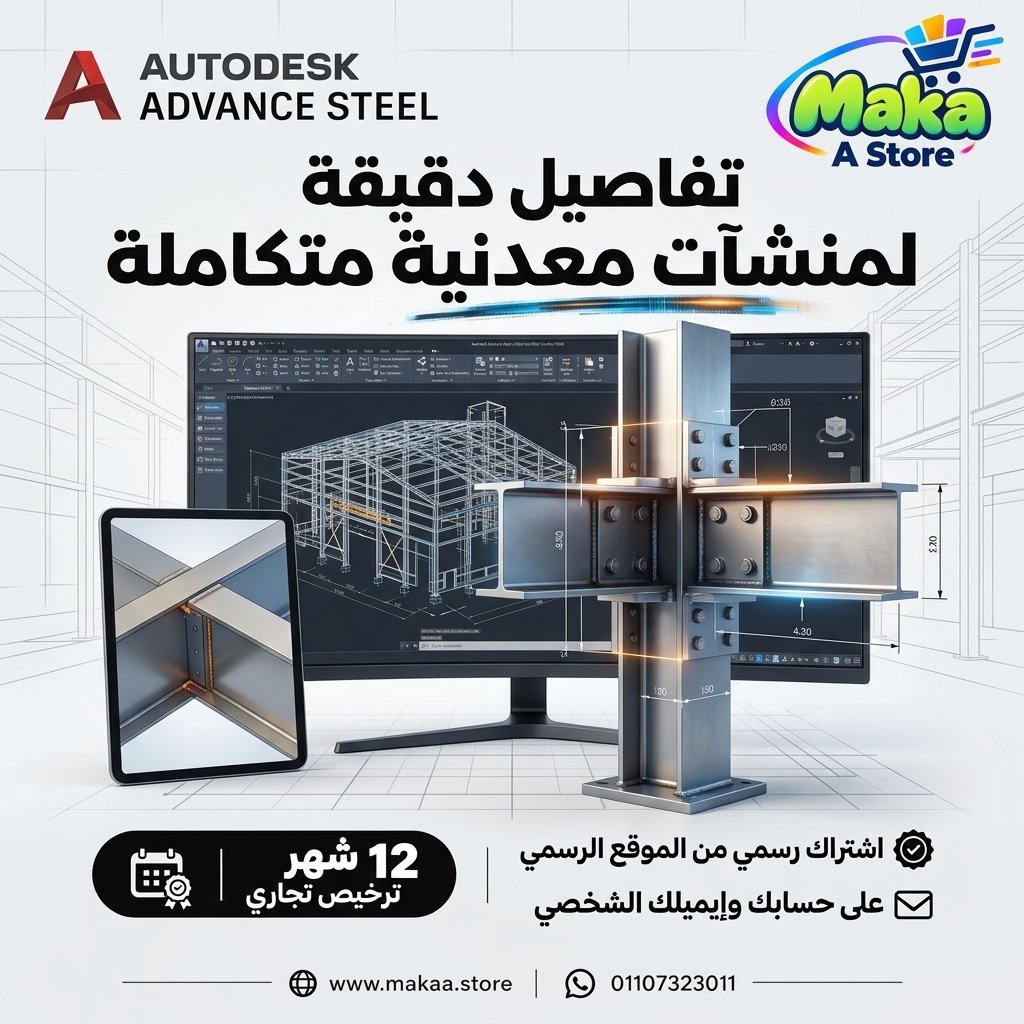
Advance Steel Subscription
Advance Steel Subscription — professional software or digital subscription from Maka A Store. Activation, license type and delivery details are shown on this page.
262.89 $
Duration12 months
License typeCommercial
ActivationTo your personal account/email
WarrantyWarranty throughout subscription
⚡ Fast activation🛡️ Warranty💬 Support🔒 Secure payment
Autodesk Advance Steel Commercial - 1-Year Subscription for Structural Steel Detailing & Fabrication
Get Autodesk Advance Steel Commercial for 12 months and access professional tools for structural steel modeling, detailing, connection design workflows, fabrication drawings, and Bill of Materials generation within an AutoCAD-based environment.
Advance Steel is an Autodesk solution specialized in structural steel detailing and fabrication documentation, helping structural engineers, steel detailers, contractors, and fabrication teams develop detailed 3D models and transform them into production-ready drawings and project information.
Autodesk Advance Steel Commercial
Price: EGP 12700 / Year
Subscription Details
- Product: Autodesk Advance Steel.
- Subscription Duration: 12 Months.
- License Type: Commercial.
- Usage: Professional & Commercial.
- Activation: Personal or Company Email Account.
- Access to features available within Advance Steel.
- Specialized structural steel modeling and detailing tools.
- Fabrication drawing and BOM workflows.
- Available updates throughout the subscription period.
- Support during activation and setup.
What Is Autodesk Advance Steel?
Autodesk Advance Steel is specialized structural steel detailing software built on the AutoCAD platform.
It provides tools for creating steel structures, connections, fabrication details, shop drawings, assemblies, and production documentation for professional construction and manufacturing workflows.
Structural Steel Modeling
Advance Steel can be used to create complete 3D models of structural steel projects.
Suitable structures include:
- Steel Buildings.
- Industrial Structures.
- Warehouses.
- Factories.
- Platforms.
- Stairs.
- Railings.
- Steel Frames.
- Structural Steel Systems.
Steel Member Modeling
The software provides tools for creating and modifying different structural steel components.
These may include:
- Beams.
- Columns.
- Bracing.
- Plates.
- Channels.
- Angles.
- Hollow Sections.
- Structural Profiles.
Steel Connections
Advance Steel provides tools for creating and managing a wide range of structural steel connections.
Connection workflows may include:
- Beam-to-Beam Connections.
- Beam-to-Column Connections.
- Base Plates.
- Bracing Connections.
- Bolted Connections.
- Welded Connections.
- Plate Connections.
Bolts & Welds
Bolts and welds can be added to structural models to provide detailed information for fabrication and assembly.
This can help with:
- Connection definition.
- Assembly organization.
- Fabrication drawing preparation.
- Supporting shop and site teams.
Fabrication Drawings
One of the key capabilities of Advance Steel is generating detailed drawings based on the 3D structural model.
Drawing types may include:
- General Arrangement Drawings.
- Shop Drawings.
- Assembly Drawings.
- Single Part Drawings.
- Erection Drawings.
- Steel connection and component details.
Shop Drawings
Advance Steel can be used to prepare Shop Drawings that provide fabrication teams with dimensions and detailed information about steel components.
Drawings may include:
- Dimensions.
- Holes.
- Bolts.
- Welds.
- Cutting Details.
- Part Numbers.
- Assembly Information.
Assembly Drawings
Assembly drawings can be generated to show how multiple steel components are connected before fabrication and installation.
Bill of Materials
Model information can be used to generate Bill of Materials - BOM and component lists for the project.
Lists may include:
- Structural Profiles.
- Plates.
- Bolts.
- Assemblies.
- Single Parts.
- Other component quantities and information.
Material Takeoff
Model data can support material takeoff workflows for procurement, fabrication, and project preparation.
Part & Assembly Numbering
Advance Steel provides numbering tools for organizing parts and assemblies throughout the project.
This can help:
- Organize drawings.
- Connect parts with Shop Drawings.
- Improve fabrication organization.
- Support site erection workflows.
Stairs, Railings & Platforms
Advance Steel includes tools that support the creation of specialized steel components such as stairs, railings, platforms, and access structures.
Possible components include:
- Steel Stairs.
- Handrails.
- Platforms.
- Ladders.
- Access Structures.
Industrial Steel Structures
Advance Steel is suitable for complex industrial projects containing structural steel systems and supporting components.
Typical applications include:
- Manufacturing Facilities.
- Power Plants.
- Oil & Gas Facilities.
- Industrial Platforms.
- Pipe Racks.
- Steel Support Structures.
Design-to-Fabrication Coordination
The 3D model helps improve communication between structural engineers, steel detailers, and fabrication teams.
This can support:
- Design review before fabrication.
- Reduced drawing errors.
- Clearer connection details.
- Better component data organization.
- Faster design-to-fabrication workflows.
AutoCAD-Based Environment
Advance Steel operates within the AutoCAD environment, allowing users to combine familiar drafting and editing tools with specialized structural steel detailing capabilities.
This creates a workflow combining:
- AutoCAD Drafting.
- 3D Steel Modeling.
- Steel Detailing.
- Shop Drawings.
- Fabrication Documentation.
Autodesk Revit Workflows
Advance Steel can be used within workflows involving Autodesk Revit to support the exchange and development of structural steel models between design and detailing stages.
This is useful for BIM teams, structural engineers, and steel detailing professionals.
Advance Steel for Structural Engineers
Structural engineers can use Advance Steel to create and review steel models and develop project details before construction.
Advance Steel for Steel Detailers
The software provides specialized detailing tools that help steel detailers convert structural models into fabrication-ready drawings and project information.
Advance Steel for Fabrication Shops
Fabrication shops can use Shop Drawings, material lists, and component details generated from Advance Steel models.
This can help with:
- Organizing fabrication processes.
- Reducing confusion in part details.
- Tracking component numbers.
- Connecting parts to assemblies.
- Supporting site erection.
Advance Steel for Construction Companies
Construction companies can use Advance Steel for structural steel projects that require coordination between design, fabrication, and installation.
Advance Steel for Engineering Consultants
Engineering consultants can use Advance Steel to prepare structural steel models, details, drawings, and fabrication documentation.
Who Is It Suitable For?
- Structural Engineers.
- Steel Detailers.
- BIM Engineers.
- Fabrication Engineers.
- Engineering Consultants.
- Construction Companies.
- Structural Steel Fabrication Shops.
- Steel Fabrication Companies.
- Manufacturing Facilities.
- Site Engineers.
- Industrial Structure Design Teams.
Key Autodesk Advance Steel Features
- 3D structural steel modeling.
- Beam, column, bracing, and plate modeling.
- Structural steel connection workflows.
- Bolts and weld detailing.
- Shop Drawing generation.
- Assembly and Single Part Drawings.
- General Arrangement Drawings.
- Bill of Materials generation.
- Part and assembly numbering.
- Stairs, platforms, and railing modeling.
- AutoCAD-based working environment.
- Revit workflow support.
- Suitable for steel design, detailing, and fabrication.
- Designed for professional and commercial use.
Commercial License for Professional Use
The offered subscription is a Commercial plan intended for professional and business use, making it suitable for engineering firms, contractors, steel fabrication companies, and detailing teams working on paid commercial projects.
Autodesk Advance Steel can be used within professional engineering, detailing, and fabrication environments according to the applicable licensing terms.
Activation Method
After completing your order, we will send an invitation to your personal email address or your company email address.
Once you accept the invitation, your Commercial subscription (Advance Steel) will be activated directly on your account and you can start using the software immediately.
Autodesk Advance Steel Commercial Details
Product: Autodesk Advance Steel
Plan Type: Commercial
Subscription Duration: 12 Months
Usage: Professional & Commercial
Activation: Invitation sent to the customer's personal or company email address
Price: EGP 12700 / Year
Delivery Time
The invitation and activation are usually prepared within 10 minutes to 5 hours, depending on order volume.
Support
- Support during activation.
- Assistance with accepting the invitation and setting up the subscription.
- Follow-up until the subscription is activated on your account.
- Technical support according to the applicable service and warranty terms.
Keywords
Advance Steel, Autodesk Advance Steel, Advance Steel Subscription, Advance Steel Price, Advance Steel Commercial, Steel Detailing Software, Structural Steel Software, Steel Fabrication Software, Shop Drawing Software, Steel Structure Design, Autodesk Steel, Revit Advance Steel, AutoCAD Advance Steel, Steel BOM Software, Steel Connection Software, Structural Steel Detailing, Steel Fabrication, Autodesk Structural Steel.
With Maka A Store, get Autodesk Advance Steel Commercial for one year for EGP 12700, activated on your account through an invitation sent to your personal or company email, and start modeling structural steel, preparing fabrication drawings, and generating material lists with a professional detailing workflow.
Ordering & activation
Add the product to cart, complete checkout, choose a payment method and upload the receipt when required. Subscription and delivery details are confirmed before fulfillment.






Customers who subscribed with us
★★★★★5.0722 reviews
★★★★★✓ Verified purchase