
















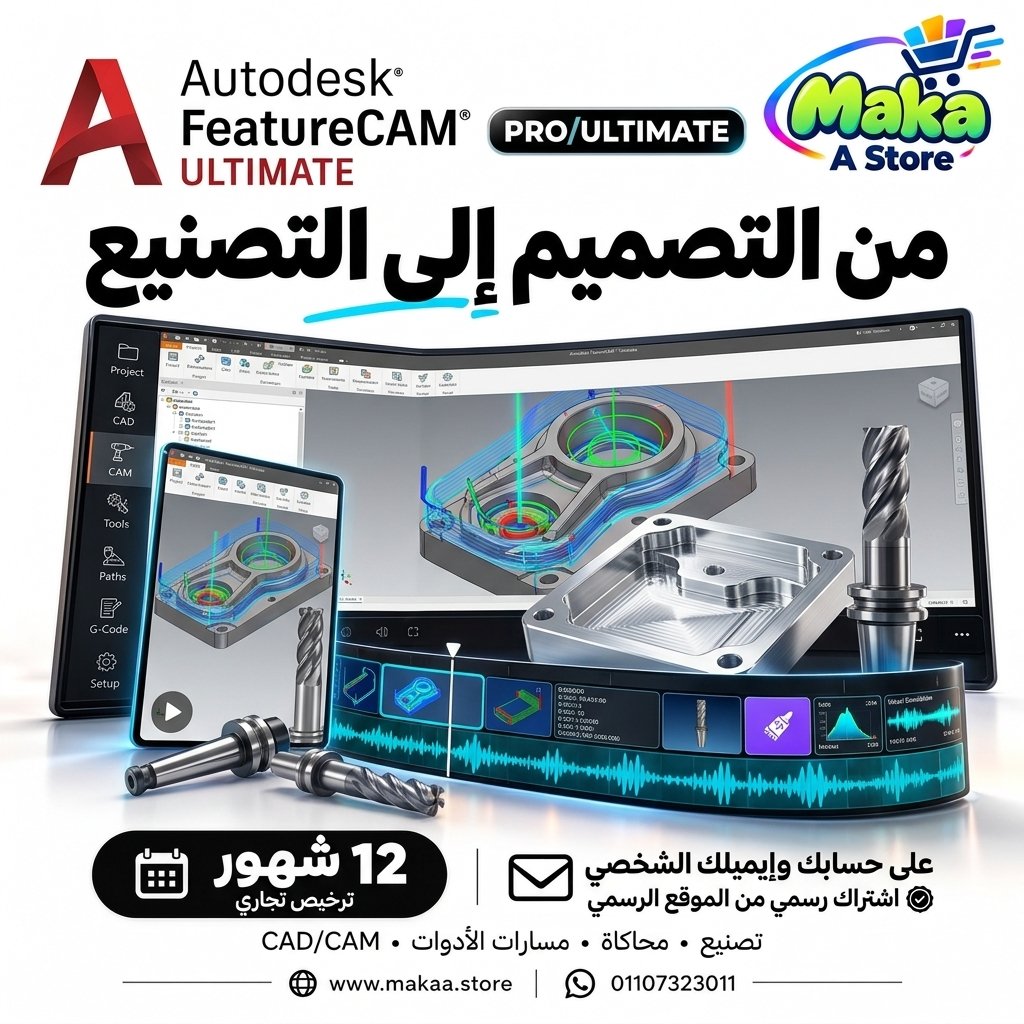
FeatureCAM Ultimate Subscription
FeatureCAM Ultimate Subscription — professional software or digital subscription from Maka A Store. Activation, license type and delivery details are shown on this page.
12,700 ج.م
Duration12 months
License typeCommercial
ActivationTo your personal account/email
WarrantyWarranty throughout subscription
⚡ Fast activation🛡️ Warranty💬 Support🔒 Secure payment
Autodesk FeatureCAM Ultimate Commercial - 1-Year Subscription for CNC Programming & CAM Automation
Get Autodesk FeatureCAM Ultimate Commercial for 12 months and access professional tools for CNC programming, automated CAM workflows, milling, turning, mill-turn, and multi-axis manufacturing operations.
FeatureCAM Ultimate is an Autodesk CAM solution designed to help manufacturers, CNC programmers, and manufacturing engineers convert CAD models into efficient machining operations while reducing manual programming time.
Autodesk FeatureCAM Ultimate Commercial
Price: EGP 12700 / Year
Subscription Details
- Product: Autodesk FeatureCAM Ultimate.
- Subscription Duration: 12 Months.
- License Type: Commercial.
- Usage: Professional & Commercial.
- Activation: Personal or Company Email Account.
- Access to features available under the FeatureCAM Ultimate plan.
- Specialized CNC and CAM programming tools.
- Support for milling, turning, mill-turn, and multi-axis workflows.
- Available updates throughout the subscription period.
- Support during activation and setup.
What Is Autodesk FeatureCAM Ultimate?
FeatureCAM Ultimate is professional CAM software designed to automate CNC programming and convert engineering geometry into manufacturable machining operations.
It can recognize manufacturing features within a model, create machining strategies, organize operations, and generate toolpaths while reducing repetitive manual programming.
Faster CNC Programming
FeatureCAM is designed to reduce the amount of time required to create CNC programs compared with fully manual CAM workflows.
It can help with:
- Faster machining operation creation.
- Reduced manual programming steps.
- Organized operation sequencing.
- Machining strategy selection.
- Faster preparation for production.
Feature Recognition
FeatureCAM uses feature-based manufacturing workflows to recognize engineering features within models and associate them with appropriate machining operations.
Features may include:
- Holes.
- Pockets.
- Slots.
- Bosses.
- Profiles.
- Turning Features.
- Other manufacturing geometry depending on the model.
Milling
FeatureCAM provides tools for programming different milling operations.
Possible applications include:
- 2.5D Milling.
- 3D Milling.
- Multi-Axis Milling.
- Drilling.
- Pocketing.
- Profiling.
- Surface Machining.
Turning
The software supports turning workflows for rotational components and CNC lathe operations.
Possible operations include:
- Facing.
- Turning.
- Grooving.
- Threading.
- Drilling.
- Boring.
- Other turning operations depending on project requirements.
Mill-Turn
FeatureCAM Ultimate can be used for Mill-Turn workflows that combine turning and milling operations within one machine or integrated manufacturing setup.
This can help with:
- Reducing part transfers between machines.
- Combining multiple operations in one setup.
- Improving production efficiency.
- Reducing setup time.
Multi-Axis Machining
FeatureCAM Ultimate supports multi-axis manufacturing workflows depending on machine configuration and project requirements.
This is useful for manufacturing:
- Complex mechanical parts.
- Automotive components.
- Aerospace components.
- Molds.
- Precision parts.
- Complex industrial products.
Toolpath Generation
FeatureCAM helps create machining toolpaths associated with different production operations.
This can assist with:
- Selecting suitable machining paths.
- Organizing tool movements.
- Reducing unnecessary motion.
- Improving cycle time.
- Increasing machine efficiency.
Reduce Programming Time
By automating many CAM programming steps, FeatureCAM can reduce the amount of time CNC programmers spend building operations manually.
This can help manufacturing teams:
- Prepare jobs faster.
- Handle more production projects.
- Reduce time between design and manufacturing.
- Increase CAM team productivity.
Reduce Setup Time
Manufacturing operations can be organized in ways that may reduce unnecessary setup changes and part repositioning.
This can help with:
- Improved productivity.
- Reduced machine setup time.
- Reduced risk between setups.
- More efficient production workflows.
Machining Simulation
Simulation tools can be used to review machining operations before running them on CNC equipment.
This can help with:
- Toolpath review.
- Understanding machining sequence.
- Identifying potential issues.
- Reducing machining errors.
- Improving confidence before sending programs to the machine.
Improve Manufacturing Efficiency
FeatureCAM Ultimate helps create a more efficient workflow between design, CAM programming, and manufacturing.
It can contribute to:
- Reduced CAM programming time.
- Reduced machining time.
- Improved tool usage.
- Faster production.
- Reduced rework.
FeatureCAM for Manufacturing Facilities
Manufacturers can use FeatureCAM Ultimate within CNC programming and production departments to convert engineering models into organized machining operations.
Suitable industries include:
- Automotive Manufacturing.
- Aerospace Manufacturing.
- Industrial Manufacturing.
- Tool & Die.
- Precision Engineering.
- Mechanical Manufacturing.
FeatureCAM for CNC Machine Shops
CNC machine shops can use FeatureCAM to speed up programming for new parts and reduce the time between receiving a design and starting production.
FeatureCAM for Manufacturing Engineers
Manufacturing engineers can use FeatureCAM to develop machining strategies, review toolpaths, and improve operation sequencing.
FeatureCAM for CNC Programmers
The software helps CNC programmers automate a large portion of the programming process while retaining control over machining operations and manufacturing decisions.
FeatureCAM for Complex Parts
FeatureCAM Ultimate can be used for components that require multiple machining methods or multi-axis operations.
Suitable applications include:
- Complex Mechanical Parts.
- Precision Components.
- Molds & Dies.
- Automotive Components.
- Aerospace Components.
- Industrial Parts.
From Design to Manufacturing
FeatureCAM helps reduce the gap between CAD and CAM by converting engineering features into programmable machining operations.
This creates a faster workflow between:
- Design.
- Manufacturing Engineering.
- CAM Programming.
- CNC Production.
Who Is It Suitable For?
- CNC Programmers.
- Manufacturing Engineers.
- Mechanical Engineers.
- CAM Programmers.
- Manufacturing Facilities.
- CNC Machine Shops.
- Mold and Tooling Companies.
- Automotive Companies.
- Aerospace Companies.
- Precision Manufacturing Companies.
- Production and Manufacturing Teams.
Key Autodesk FeatureCAM Ultimate Features
- Automated CNC programming workflows.
- Feature Recognition.
- Milling support.
- Turning support.
- Mill-Turn support.
- Multi-Axis workflows.
- Toolpath generation.
- Machining simulation.
- Reduced programming time.
- Reduced setup time.
- Improved production efficiency.
- Suitable for manufacturers and CNC machine shops.
- Designed for professional and commercial use.
Commercial License for Professional Use
The offered subscription is a Commercial plan intended for professional and business use, making it suitable for manufacturing facilities, CNC machine shops, engineering teams, and companies working on paid projects.
Autodesk FeatureCAM Ultimate can be used in professional manufacturing and production environments according to the applicable licensing terms.
Activation Method
After completing your order, we will send an invitation to your personal email address or your company email address.
Once you accept the invitation, your Commercial subscription (FeatureCAM Ultimate) will be activated directly on your account and you can start using the software immediately.
Autodesk FeatureCAM Ultimate Commercial Details
Product: Autodesk FeatureCAM Ultimate
Plan Type: Commercial
Subscription Duration: 12 Months
Usage: Professional & Commercial
Activation: Invitation sent to the customer's personal or company email address
Price: EGP 12700 / Year
Delivery Time
The invitation and activation are usually prepared within 10 minutes to 5 hours, depending on order volume.
Support
- Support during activation.
- Assistance with accepting the invitation and setting up the subscription.
- Follow-up until the subscription is activated on your account.
- Technical support according to the applicable service and warranty terms.
Keywords
FeatureCAM Ultimate, Autodesk FeatureCAM, FeatureCAM Subscription, FeatureCAM Price, FeatureCAM Commercial, CNC Programming Software, CAM Software, CNC Milling Software, CNC Turning Software, Mill Turn Software, Multi Axis CAM, Feature Based Manufacturing, CNC Automation Software, CNC Machining Software, CAM Programming Software, Autodesk Manufacturing.
With Maka A Store, get Autodesk FeatureCAM Ultimate Commercial for one year for EGP 12700, activated on your account through an invitation sent to your personal or company email, and start programming CNC milling, turning, mill-turn, and multi-axis manufacturing operations with a faster professional CAM workflow.
Ordering & activation
Add the product to cart, complete checkout, choose a payment method and upload the receipt when required. Subscription and delivery details are confirmed before fulfillment.






Customers who subscribed with us
★★★★★5.0654 reviews
★★★★★✓ Verified purchase
Mera Fahmy
★★★★★✓ Verified purchase