















Sale!-73%
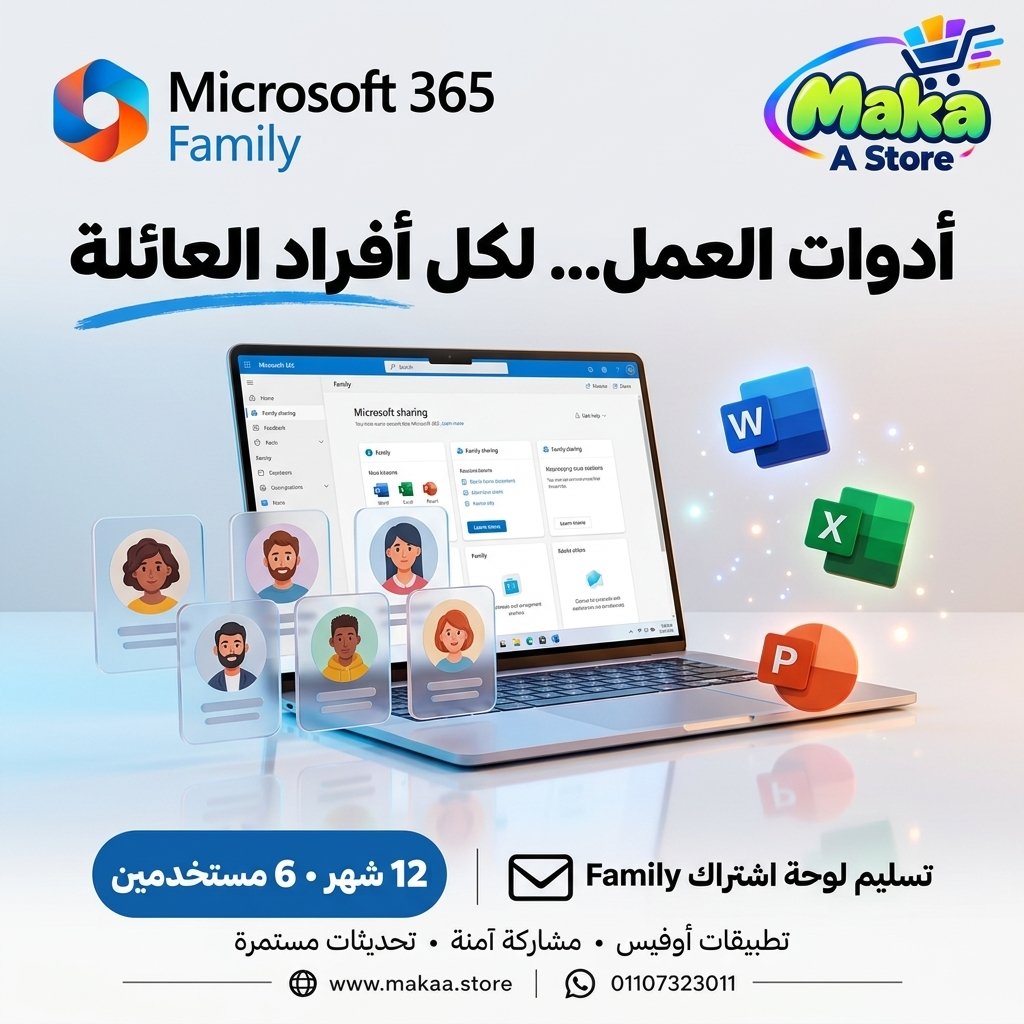
Microsoft 365 Family dashboard
Microsoft 365 Family dashboard — professional software or digital subscription from Maka A Store. Activation, license type and delivery details are shown on this page.
Duration12 months
License typePremium
ActivationThe 6-user panel is being delivered.
WarrantyWarranty throughout subscription
⚡ Fast activation🛡️ Warranty💬 Support🔒 Secure payment
Microsoft 365 Family 1-Year Subscription - Up to 6 Users
Get Microsoft 365 Family for 12 months and enjoy a subscription designed for families and small groups, with support for up to 6 users, each using their own personal Microsoft account.
The plan is suitable for families, students, and users who want access to Microsoft 365 applications and services through one organized subscription while keeping each user's account and files separate.
Microsoft 365 Family - 12-Month Subscription
Price: EGP 2,200
Subscription Duration: 12 Months
Users: Up to 6 Users
Subscription Details
- Microsoft 365 Family subscription for one full year.
- Up to 6 users.
- Each user uses their own personal Microsoft account.
- Subscription sharing can be managed through the main account.
- Suitable for families, students, and small groups of users.
- Access to features available under the Microsoft 365 Family plan.
- Support during setup and user addition.
What Is Microsoft 365 Family?
Microsoft 365 Family is a subscription plan that allows Microsoft 365 benefits to be shared with multiple users while each person keeps their own account, files, and settings separate.
Instead of purchasing a separate subscription for every user, the Family plan allows additional members to be added within the supported user limit.
Up to 6 Users
The plan supports up to 6 users in total according to Microsoft 365 Family settings.
Each user gets an independent experience using their own Microsoft account and does not need to share login credentials with other members.
Separate Account for Each User
Each member uses their own personal Microsoft account, helping keep the following separate:
- Personal files.
- Settings.
- Documents.
- Account information.
- User-specific services.
Microsoft 365 Applications
The plan provides access to Microsoft 365 applications and services available under the Family subscription, depending on device, operating system, and region.
Available applications may include:
- Microsoft Word.
- Microsoft Excel.
- Microsoft PowerPoint.
- Microsoft Outlook.
- Microsoft OneNote.
- Other Microsoft applications and services included with the plan.
Multi-Device Access
Eligible users can access Microsoft 365 applications and services on supported devices according to the current limits and terms of the Family plan.
Microsoft 365 supports platforms such as:
- Windows.
- macOS.
- Android.
- iOS.
- Web.
Cloud Storage
Microsoft 365 Family includes cloud storage services according to the benefits and limits currently provided by Microsoft.
Each user receives their own storage and account benefits according to Microsoft's current plan terms, allowing files to be accessed across supported devices.
User Management
The main account can manage subscription sharing and add or remove users according to Microsoft 365 Family settings.
This makes it easier to organize members and manage available user slots.
Suitable for Families
The Family plan is ideal for households that need Microsoft 365 for multiple people while giving each person an independent account.
Each user can work with their own files and documents without sharing an account with other family members.
Suitable for Students
Students can use Microsoft 365 for a wide range of academic tasks, including:
- Writing reports and research papers with Word.
- Creating presentations with PowerPoint.
- Managing data and spreadsheets with Excel.
- Managing email and schedules.
- Saving files in the cloud.
Suitable for Personal Use & Small Groups
The plan can also be useful for small groups of users who need Microsoft 365 applications for personal, educational, or home use in accordance with Microsoft's applicable plan terms.
Key Subscription Benefits
- 12-month subscription.
- Up to 6 users.
- Independent account for each user.
- Easy subscription sharing management.
- Access to Microsoft 365 applications available under the plan.
- Cloud services according to current plan features.
- Access on supported devices.
- Application updates during the subscription period according to Microsoft's policies.
Important Note
Features, supported devices, services, and cloud storage limits are subject to the current Microsoft 365 Family terms and may be updated by Microsoft over time.
Certain applications or services may vary depending on device, operating system, and region.
Microsoft 365 Family Subscription Details
Product: Microsoft 365 Family
Subscription Duration: 12 Months
Users: Up to 6 Users
Usage: Each user uses a separate Microsoft account
Price: EGP 2,200
Required After Purchase
- Provide the email addresses that need to be added.
- Up to 6 users can be added according to the available slots.
Delivery Time
Setup and user addition are usually completed within 10 minutes to 5 hours, depending on order volume and activation procedures.
Support
- Support during setup and activation.
- Assistance with adding users.
- Follow-up according to the applicable service and warranty terms.
With Maka A Store, get Microsoft 365 Family for one year and share Microsoft 365 benefits with up to 6 users using separate personal accounts.
Ordering & activation
Add the product to cart, complete checkout, choose a payment method and upload the receipt when required. Subscription and delivery details are confirmed before fulfillment.






Customers who subscribed with us
★★★★★5.0622 reviews