
















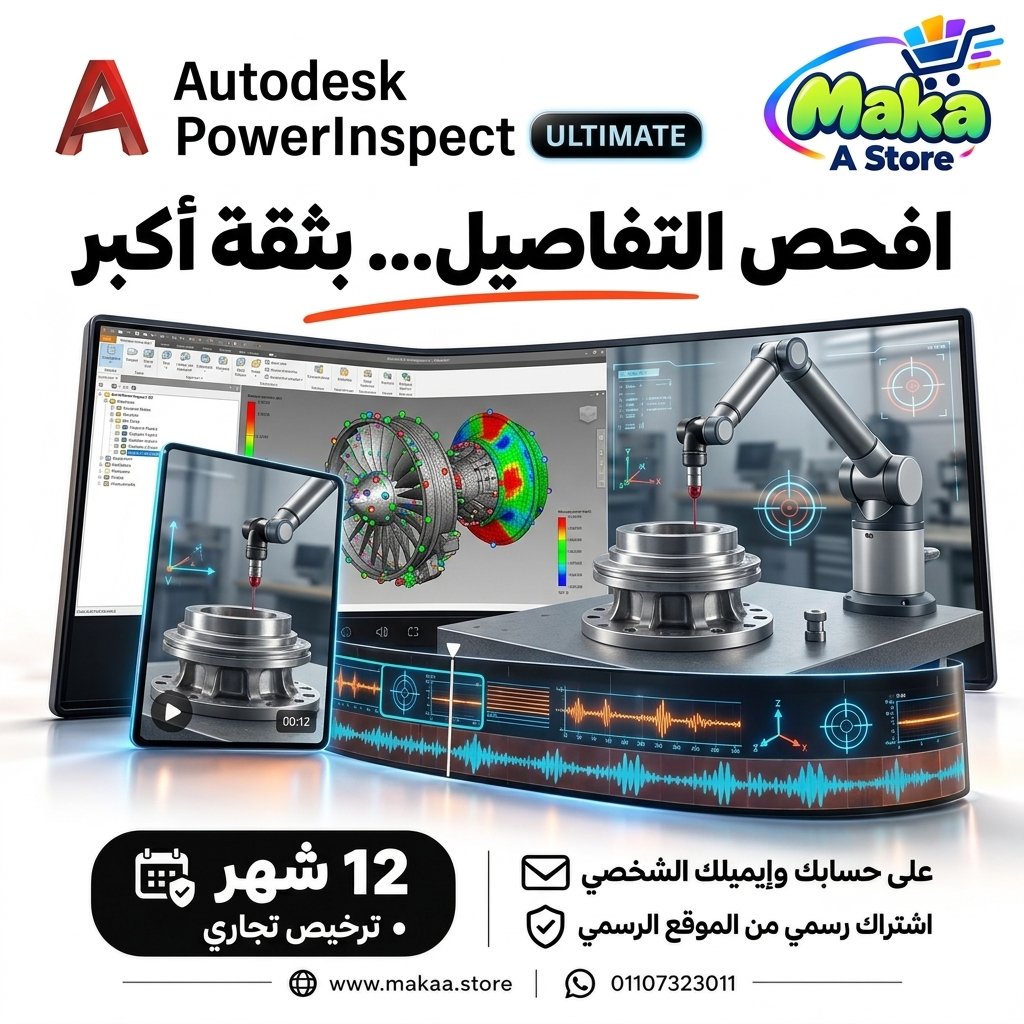
subscription PowerInspect Ultimate
subscription PowerInspect Ultimate — professional software or digital subscription from Maka A Store. Activation, license type and delivery details are shown on this page.
14,000 ج.م
Duration12 months
License typeCommercial
ActivationTo your personal account/email
WarrantyWarranty throughout subscription
⚡ Fast activation🛡️ Warranty💬 Support🔒 Secure payment
Autodesk PowerInspect Ultimate Commercial - 1-Year Subscription for Industrial Inspection & Metrology
Get Autodesk PowerInspect Ultimate Commercial for 12 months and access advanced tools for measuring and inspecting manufactured parts, comparing inspection results with engineering specifications, and creating professional reports to improve manufacturing quality.
PowerInspect Ultimate is an Autodesk solution designed for industrial inspection and metrology workflows, helping manufacturers, engineers, and quality teams verify manufactured components before assembly or delivery.
Autodesk PowerInspect Ultimate Commercial
Price: EGP 14000 / Year
Subscription Details
- Product: Autodesk PowerInspect Ultimate.
- Subscription Duration: 12 Months.
- License Type: Commercial.
- Usage: Professional & Commercial.
- Activation: Personal or Company Email Account.
- Access to features available under the PowerInspect Ultimate plan.
- Available updates throughout the subscription period.
- Support during activation and setup.
What Is Autodesk PowerInspect Ultimate?
PowerInspect Ultimate is specialized inspection and metrology software used to measure manufactured parts and compare real-world inspection data with engineering specifications and CAD models.
It can be used in manufacturing facilities, quality departments, engineering environments, and inspection laboratories to verify dimensions, geometry, and manufacturing quality.
Industrial Part Measurement & Inspection
PowerInspect provides tools for inspecting manufactured components and comparing them with required engineering dimensions and tolerances.
Possible applications include:
- Dimensional inspection.
- Geometric feature evaluation.
- Comparison with digital models.
- Deviation analysis.
- Manufacturing quality evaluation.
- Inspection result documentation.
CMM Support
PowerInspect can be used within workflows involving CMM - Coordinate Measuring Machines for part measurement and dimensional inspection.
This helps quality teams create structured inspection workflows and document results more efficiently.
3D Scanning Workflows
The software can work with measurement data generated by supported 3D scanning technologies and inspection workflows.
This can help with:
- Comparing manufactured surfaces with design data.
- Analyzing deviations.
- Inspecting complex geometries.
- Working with components that are difficult to inspect using traditional methods.
- Preparing inspection reports.
CAD Model Comparison
PowerInspect can be used to compare measured data with CAD models of the manufactured component.
This allows quality teams to identify differences between the manufactured part and the original engineering design.
Deviation Analysis
The software provides tools for evaluating differences between measured values and required design specifications.
This can assist with:
- Identifying manufacturing errors.
- Reviewing production accuracy.
- Finding components that may require correction.
- Improving future manufacturing processes.
- Supporting part acceptance or rejection decisions.
Professional Inspection Reports
PowerInspect can generate structured inspection reports that help quality, engineering, and production teams review measurement results clearly.
Reports may include:
- Measurement results.
- Design comparison data.
- Deviation values.
- Inspection feature information.
- Quality-related observations.
Improve Manufacturing Quality
PowerInspect helps manufacturing and quality teams identify production issues before components move to later manufacturing stages or customer delivery.
Regular inspection workflows can help:
- Improve product quality.
- Reduce rework.
- Reduce rejected components.
- Improve production consistency.
- Document manufacturing quality.
Reduce Manufacturing Errors
By comparing measured results with engineering specifications, teams can identify deviations before they develop into larger manufacturing problems.
This can help improve manufacturing processes, machine setup, and quality control procedures.
Complex Part Inspection
PowerInspect can be used in projects involving complex manufactured components that require advanced inspection workflows.
This makes it suitable for industries such as:
- Automotive Manufacturing.
- Aerospace.
- Engineering Manufacturing.
- Tooling and Mold Production.
- Precision Manufacturing.
- Advanced Industrial Components.
PowerInspect for Manufacturing Facilities
Manufacturers can use PowerInspect within quality departments to inspect parts before delivery, assembly, or further production stages.
This helps create a more organized workflow between production, engineering, and quality teams.
PowerInspect for Quality Teams
Quality Control and Quality Assurance teams can use the software to perform measurements, compare results, create reports, and document product quality.
PowerInspect for Engineers
Engineers can use PowerInspect to analyze inspection results and understand differences between the original engineering design and the actual manufactured component.
This can help improve:
- Manufacturing processes.
- Machine setup.
- Tolerances.
- Product quality.
- Communication between design, production, and quality teams.
Who Is It Suitable For?
- Quality Engineers.
- Quality Control Teams.
- Quality Assurance Teams.
- Manufacturing Engineers.
- Mechanical Engineers.
- Manufacturing Facilities.
- Machine Shops.
- Tooling and Mold Companies.
- Automotive Companies.
- Precision Manufacturing Companies.
Key PowerInspect Ultimate Features
- Industrial part measurement and inspection.
- CMM workflow support.
- Support for 3D scanning data according to available tools.
- CAD model comparison.
- Deviation analysis.
- Professional inspection reports.
- Quality Control workflow support.
- Manufacturing error reduction.
- Production quality improvement.
- Complex component inspection.
- Suitable for professional and commercial use.
Commercial License for Professional Use
The offered subscription is a Commercial plan intended for professional and business use, making it suitable for manufacturing companies, engineering teams, quality departments, and paid professional projects.
PowerInspect Ultimate can be used in professional manufacturing and production environments according to the applicable licensing terms.
Activation Method
After completing your order, we will send an invitation to your personal email address or your company email address.
Once you accept the invitation, your Autodesk PowerInspect Ultimate Commercial subscription will be activated directly on your account and you can start using the software immediately.
Autodesk PowerInspect Ultimate Commercial Details
Product: Autodesk PowerInspect Ultimate
Plan Type: Commercial
Subscription Duration: 12 Months
Usage: Professional & Commercial
Activation: Invitation sent to the customer's personal or company email address
Price: EGP 14000 / Year
Delivery Time
The invitation and activation are usually prepared within 10 minutes to 5 hours, depending on order volume.
Support
- Support during activation.
- Assistance with accepting the invitation and setting up the subscription.
- Follow-up until the subscription is activated on your account.
- Technical support according to the applicable service and warranty terms.
Keywords
PowerInspect Ultimate, Autodesk PowerInspect, PowerInspect Subscription, PowerInspect Price, PowerInspect Commercial, Inspection Software, CMM Software, Metrology Software, Quality Control Software, Industrial Inspection Software, CAD Inspection, 3D Inspection Software, Coordinate Measuring Machine Software, Manufacturing Inspection Software, Part Inspection Software, Dimensional Inspection Software.
With Maka A Store, get Autodesk PowerInspect Ultimate Commercial for one year for EGP 14000, activated on your account through an invitation sent to your personal or company email, and access professional tools for part inspection, metrology, and manufacturing quality control.
Ordering & activation
Add the product to cart, complete checkout, choose a payment method and upload the receipt when required. Subscription and delivery details are confirmed before fulfillment.







Customers who subscribed with us
★★★★★5.0633 reviews
★★★★★✓ Verified purchase
Bahaa Nasser
★★★★★✓ Verified purchase
Ahmed Salih
★★★★★✓ Verified purchase