
















-65%
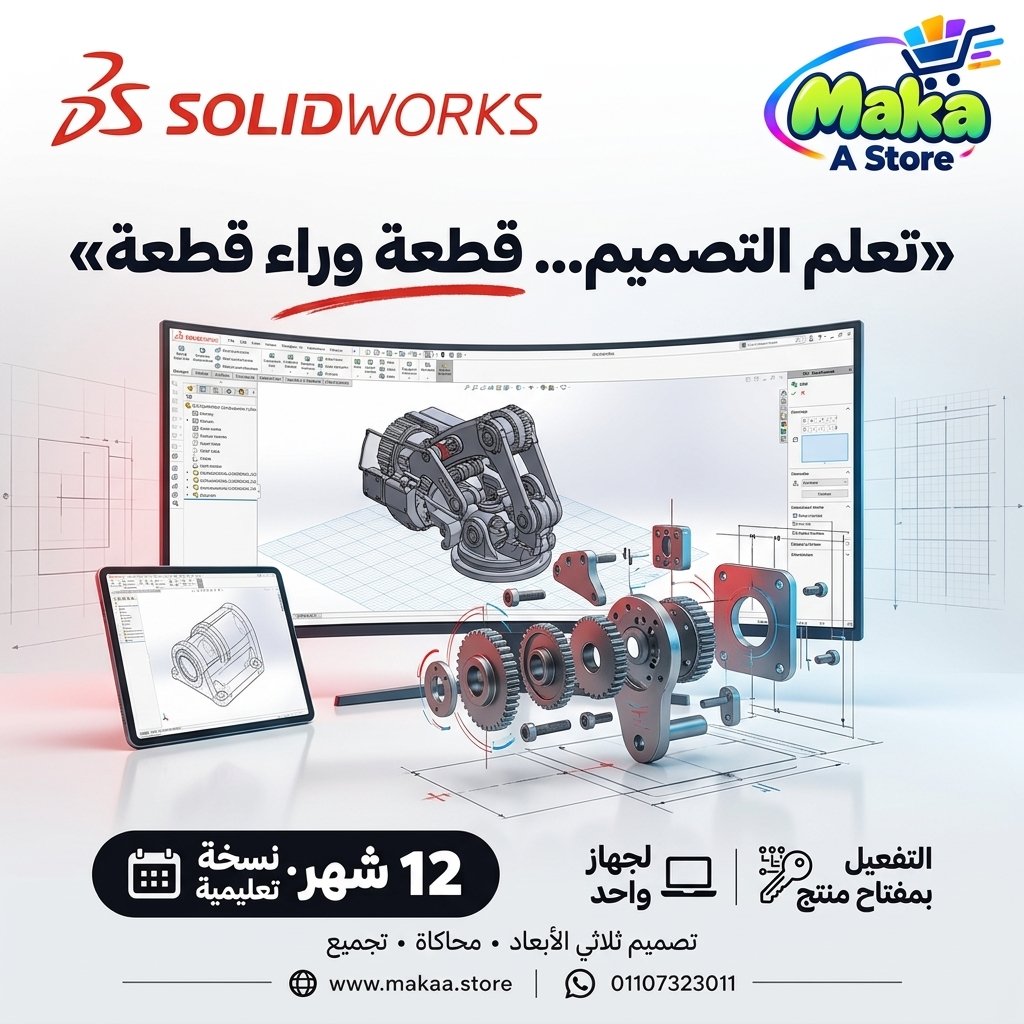
SolidWorks subscription
SolidWorks subscription — professional software or digital subscription from Maka A Store. Activation, license type and delivery details are shown on this page.
Duration12 months
License typeEducational / EDU
ActivationAn activation serial number for a single device is delivered.
WarrantyWarranty throughout subscription
⚡ Fast activation🛡️ Warranty💬 Support🔒 Secure payment
SolidWorks Premium 2025 - License for 1 Windows PC for Professional Mechanical Design
Get SolidWorks Premium 2025 and access advanced mechanical design and 3D modeling tools for developing parts, assemblies, engineering drawings, and product design projects on one Windows computer.
SolidWorks is widely used in mechanical engineering, industrial design, and product development, providing professional tools for 3D CAD, assemblies, drawings, motion, routing, and simulation according to the capabilities available in the Premium edition.
SolidWorks Premium 2025
Devices: 1 PC
Operating System: Windows
Activation Method: License Key
Product Details
- SolidWorks Premium 2025.
- Designed for one Windows PC.
- Activation Method: License Key.
- Direct software download link.
- Step-by-step installation guidance.
- Access to design and modeling tools available in the Premium edition.
- Suitable for mechanical design, industrial design, and product development.
- Support during installation and activation.
What Is SolidWorks?
SolidWorks is a professional 3D CAD platform used to design mechanical parts, assemblies, and engineering drawings for product development and manufacturing workflows.
Engineers and designers can use SolidWorks to move from an initial product idea to detailed 3D models, assemblies, and technical drawings.
Key SolidWorks Premium 2025 Features
- Advanced 3D mechanical design and modeling.
- Parts and Assemblies.
- Technical Engineering Drawings.
- Advanced assembly management tools.
- Motion capabilities according to available features.
- Simulation and analysis tools available in the edition.
- Routing tools for eligible workflows.
- Product design and development tools.
- Flexible model editing and engineering workflows.
- Suitable for mechanical engineering and industrial design.
Part Design
SolidWorks can be used to create detailed 3D mechanical parts using a wide range of sketching and modeling tools.
Common uses include:
- Mechanical component design.
- Dimension editing.
- Engineering feature creation.
- Holes and detailed geometry.
- Iterative product development.
Assembly Design
SolidWorks provides tools for combining individual components into assemblies and studying the relationships between different parts.
This can help with:
- Mechanical assembly design.
- Component compatibility review.
- Motion between components.
- Managing projects with multiple parts.
Engineering Drawings
3D models can be converted into engineering drawings that communicate dimensions, details, and manufacturing information.
Users can create:
- Multiple Views.
- Sections.
- Dimensions.
- Annotations.
- Part and Assembly Drawings.
Simulation & Analysis
The Premium edition includes analysis and simulation capabilities designed to help users evaluate certain aspects of a design before physical production, depending on the modules and tools available in the edition.
These tools may help with:
- Design behavior analysis.
- Reviewing certain loads and conditions.
- Evaluating designs before manufacturing.
- Reducing the need for repeated physical prototypes during some design stages.
Motion
Motion tools can help users study movement and relationships between components within mechanical assemblies.
This is useful for mechanisms and systems that contain moving parts.
Routing
Routing tools can assist with certain piping, tubing, and cabling workflows according to the capabilities available in the Premium edition.
Industrial Design & Product Development
SolidWorks can be used to develop a wide variety of products and engineering components, ranging from simple parts to complex assemblies.
Common applications include:
- Product Development.
- Equipment Design.
- Machine Component Design.
- Industrial Design.
- Mechanical Component Design.
- Prototype Development.
SolidWorks for Manufacturing
Engineers can use SolidWorks to prepare models and technical designs before manufacturing, helping communicate dimensions, specifications, and assembly requirements.
SolidWorks for Mechanical Engineers
SolidWorks provides a broad set of tools that help mechanical engineers move from initial concepts to 3D models, assemblies, and engineering drawings.
SolidWorks for Students & Graduation Projects
The software can also be used for learning, training, and graduation projects involving mechanical design and 3D modeling, according to the applicable license type and usage terms.
Who Is It Suitable For?
- Mechanical Engineers.
- Product Designers.
- Industrial Designers.
- Manufacturing Facilities and Workshops.
- Engineering Design Teams.
- Engineering Students and Graduation Projects according to applicable licensing terms.
- Users who need advanced 3D CAD capabilities.
System Requirements
The product is designed for Windows, and the computer should meet the applicable SolidWorks 2025 system requirements before installation.
Performance depends on factors such as:
- CPU.
- RAM.
- Graphics Card.
- Project Size and Complexity.
- Number of Assembly Components.
Delivery Method
- License Key.
- Direct Download Link.
- Installation Instructions.
- Activation Assistance.
SolidWorks Premium 2025 Details
Product: SolidWorks Premium 2025
Edition: Premium
Operating System: Windows
Devices: 1 PC
Activation: License Key
Delivery: License Key + Download Link + Installation Guide
Delivery Time
Orders are usually completed within 10 minutes to 5 hours, depending on order volume and activation procedures.
Support
- Support during installation.
- Support during activation.
- Assistance with software setup.
- Follow-up according to the applicable service and warranty terms.
With Maka A Store, get SolidWorks Premium 2025 for one Windows PC and access advanced tools for mechanical design, 3D modeling, assemblies, and product development.
Ordering & activation
Add the product to cart, complete checkout, choose a payment method and upload the receipt when required. Subscription and delivery details are confirmed before fulfillment.






Customers who subscribed with us
★★★★★5.0760 reviews
★★★★★✓ Verified purchase
Youssef Ahmed
★★★★★✓ Verified purchase
Camellia Helmy
★★★★★✓ Verified purchase
John Samir
★★★★★✓ Verified purchase
salma.bassem
★★★★★✓ Verified purchase
Nour Mahmoud
★★★★★✓ Verified purchase
Sherif Ahmed
★★★★★✓ Verified purchase
Ali Mohamed
★★★★★✓ Verified purchase
Omar Khaled
★★★★★✓ Verified purchase
Mostafa Ahmed
★★★★★✓ Verified purchase
Naya Assem
★★★★★✓ Verified purchase
Nour Mahmoud
★★★★★✓ Verified purchase
Sara Ahmed
★★★★★✓ Verified purchase
Mark Beshoy
★★★★★✓ Verified purchase